



How to make your own website for free
Build a website for free in an afternoon: pick a free website template, put it online with free website hosting, and add a contact form that really sends. No coding course, no server, no monthly bill.
Step 1: Pick a free website template
Free HTML templates give you a finished, professional design in minutes. Download one, open the folder and change the texts and images in index.html with any text editor.
- Plain HTML and CSS, no build step needed
- Responsive, so it works on phones too
- Keep the credit line if the license asks for it
Step 2: Host your website for free
Cloudflare Pages and GitHub Pages both offer free website hosting for static sites, with HTTPS and a free web address right away. Connect your own domain whenever you like.
- Create a free Cloudflare accountSign up at dash.cloudflare.com and confirm your email.
- Open Workers and PagesChoose Create application, then Get started next to Drag and drop your files.
- Upload your folderName the project, drag in the template folder with index.html at the top and press Deploy site.
- Open your linkYour site is live at your-project.pages.dev. Visit site opens it in a new tab.
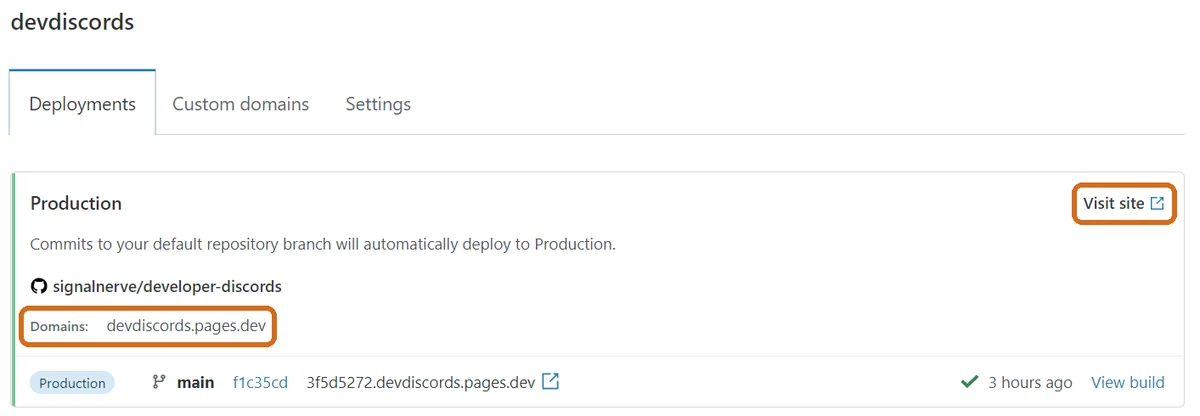
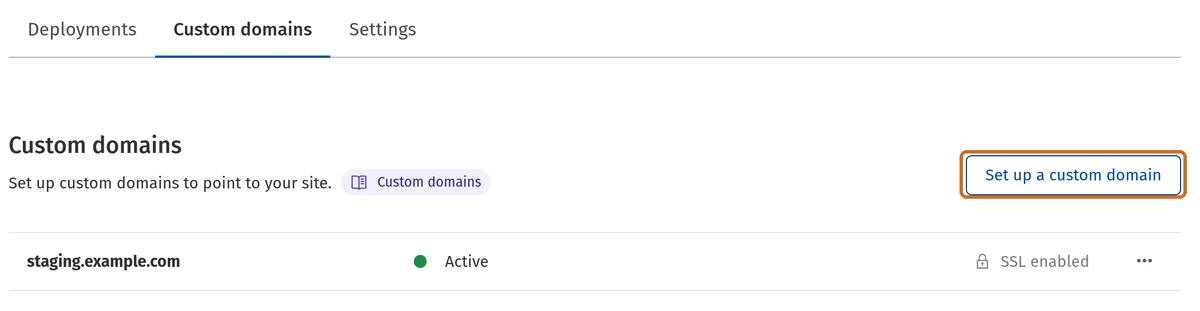
- Optional: use your own domainOpen Custom domains and choose Set up a custom domain, then follow the DNS steps.
Screenshots: Cloudflare Docs, CC BY 4.0, cropped and highlighted
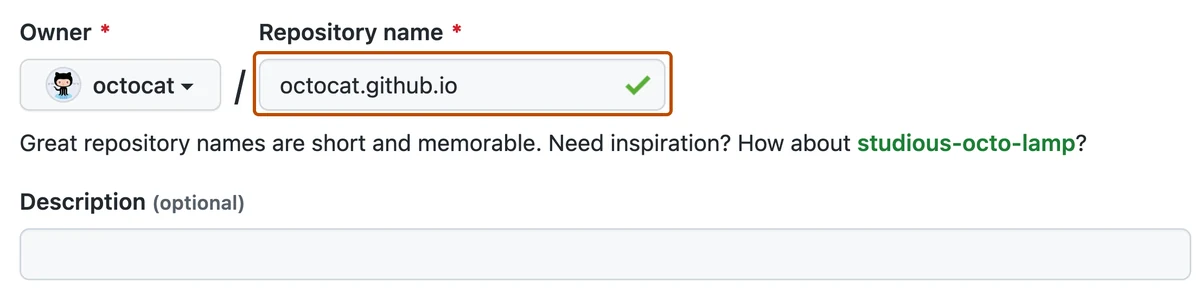
- Create a repositoryOn github.com, create a new public repository. Name it username.github.io for a site at that address, or pick any name like my-website.
- Upload your filesChoose Add file, then Upload files, drop in the template with index.html at the top and commit.

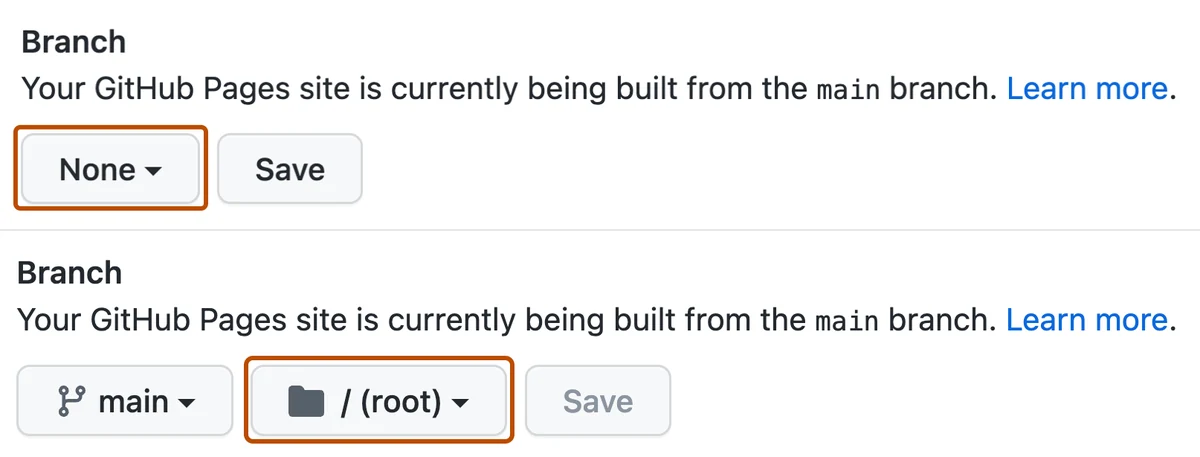
- Turn on PagesIn Settings, open Pages, choose Deploy from a branch, select main and the root folder, then Save.
- Open your linkAfter a minute the Pages settings show Your site is live, with a Visit site button.
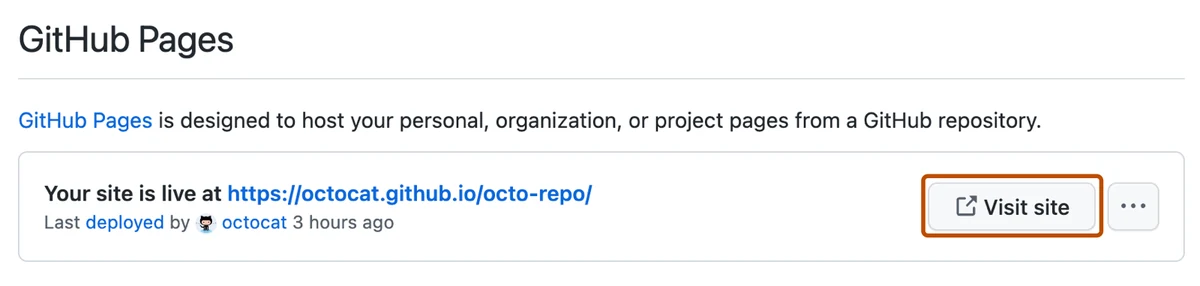
Screenshots: GitHub Docs, CC BY 4.0, cropped and highlighted
Step 3: Add a contact form to your website
Free hosting cannot send emails on its own. Point your HTML contact form at SendForm and every message is checked for spam, emailed to you and kept in your inbox.
- Create a free SendForm accountThen create a contact form in the dashboard.
- Copy your endpointIt looks like https://sendform.net/!yourFormId.
- Paste it into your formSet it as the action of the form in your template, then publish again.
<!-- your template's contact form -->
<form action="https://sendform.net/!yourFormId" method="POST">
  <input name="name" placeholder="Your name">
  <input type="email" name="email" required>
  <textarea name="message"></textarea>
  <button>Send</button>
</form>
No form in your template?
Build an online form in the SendForm builder and embed it with one iframe, or simply link to it.
How to create a website: common questions
Download a free HTML website template, change the texts and images, then upload the folder to a free host like Cloudflare Pages or GitHub Pages. The website itself costs nothing. Only a custom domain name has a small yearly fee.
For a static website, Cloudflare Pages and GitHub Pages are hard to beat. Both are free, fast, serve your pages over HTTPS and let you add your own domain. Cloudflare Pages takes a folder by drag and drop, GitHub Pages suits you if you already use GitHub.
No. With a template you only edit the texts and image paths in index.html, using any text editor. A little HTML helps, but this guide works without it.
Yes. Buy a domain from any registrar, then add it under Custom domains in Cloudflare Pages or in the Pages settings of your GitHub repository.
Free hosts do not run server code, so a form cannot send email by itself. Create a free SendForm endpoint and put it in the action of your form. Messages land in your SendForm inbox and you get an email for each one.