


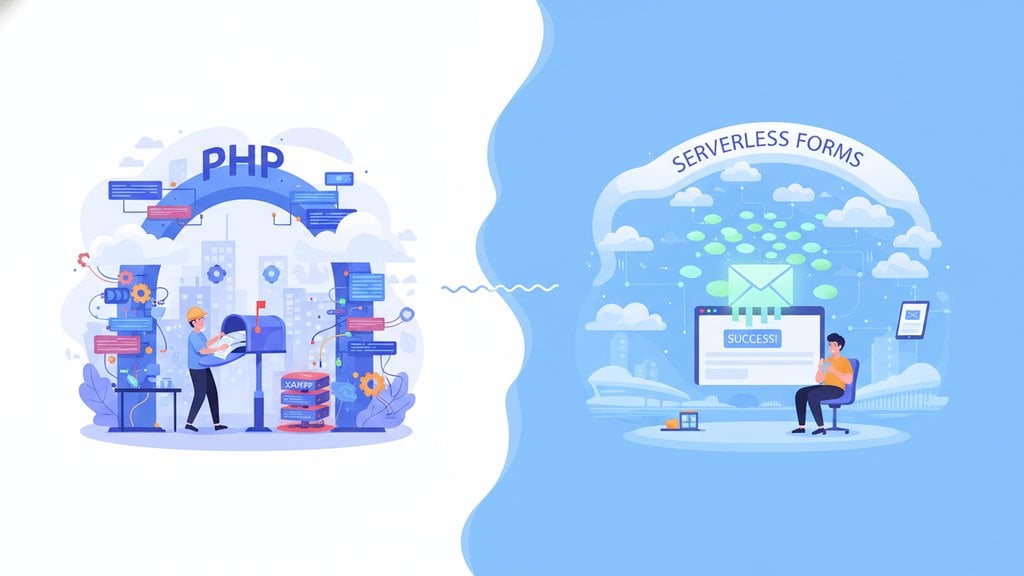
If you've ever tried to add a contact form to a website, chances are you've run into the classic approach: write a PHP mail form, configure your server's mail settings, handle validation, fight spam, and debug why emails keep landing in junk folders. It works, eventually, but the process is rarely as simple as it sounds. This article breaks down the real cost of building PHP contact forms from scratch versus using a modern serverless form-to-email service, with a concrete example to show you exactly where the friction lives.
Content Table
Key Takeaways:
- A traditional PHP mail form requires server configuration, spam protection, and ongoing maintenance that adds up quickly.
- Serverless form-to-email services eliminate backend dependencies and work on static sites, JAMstack projects, and any hosting environment.
- Switching from a PHP script to a serverless endpoint typically takes less than 5 minutes and requires zero server-side code.
- For most contact form use cases, a form-to-email service is faster to deploy, easier to maintain, and more reliable out of the box.
How a PHP Mail Form Actually Works
The PHP mail() function has been the default answer to "how do I send form submissions by email" for decades. The basic flow looks like this:
- The user fills out an HTML form and submits it.
- The form's
actionattribute points to a PHP script on your server. - The PHP script reads the POST data, sanitizes it, and calls
mail(). - The server's mail transfer agent (MTA) attempts to deliver the message.
In theory, this is simple. In practice, each of those four steps introduces a potential failure point.
A Minimal PHP Mail Script
Here is what a stripped-down PHP contact form handler looks like:
<?php
if ($_SERVER["REQUEST_METHOD"] == "POST") {
    $name    = strip_tags(trim($_POST["name"]));
    $email   = filter_var(trim($_POST["email"]), FILTER_SANITIZE_EMAIL);
    $message = strip_tags(trim($_POST["message"]));

    if (empty($name) || empty($message) || !filter_var($email, FILTER_VALIDATE_EMAIL)) {
        http_response_code(400);
        echo "Please complete the form and try again.";
        exit;
    }

    $to      = "you@yourdomain.com";
    $subject = "New contact from $name";
    $body    = "Name: $name\nEmail: $email\nMessage:\n$message";
    $headers = "From: noreply@yourdomain.com\r\nReply-To: $email";

    if (mail($to, $subject, $body, $headers)) {
        http_response_code(200);
        echo "Thank you! Your message has been sent.";
    } else {
        http_response_code(500);
        echo "Oops! Something went wrong.";
    }
}
?>
This script is about 20 lines and looks manageable. But this is just the happy path. It does not handle CSRF protection, honeypot fields, rate limiting, or email deliverability configuration. Those additions can triple the code length and complexity.
The Hidden Costs of PHP Contact Forms
Server-side form processing with PHP carries a set of costs that are easy to underestimate before you start, and painful to deal with after deployment.
1. Server Requirements
Your hosting environment must have PHP installed and a working MTA configured. On shared hosting this is often available by default, but on VPS, cloud platforms (Netlify, Vercel, Cloudflare Pages), or static site hosts, there is no PHP runtime at all. This means PHP contact forms are simply not an option without adding a separate backend service anyway.
2. Email Deliverability
The PHP mail() function sends email through your server's local MTA. Emails sent this way are frequently flagged as spam by receiving mail servers because they often lack proper SPF, DKIM, and DMARC records. Many developers spend hours debugging why their form emails never arrive, only to discover the issue is in their DNS configuration, not their PHP code.
3. Spam and Abuse
Without spam protection, a public-facing form is a target. Implementing a honeypot field, a CSRF token, or integrating a CAPTCHA service requires extra code, extra dependencies, and ongoing maintenance.
4. Maintenance Burden
PHP versions change. Deprecated functions appear. Security vulnerabilities in form handling scripts are a real category of web exploit. Every PHP script you own is a piece of code that needs to be reviewed, updated, and tested over time.
5. No Built-in Feedback Loop
The basic PHP mail function has no delivery confirmation, no submission log, and no retry mechanism. If an email fails silently (which happens), you will never know unless you build logging yourself.
The Serverless Approach to Form Handling
Serverless form handling flips the model. Instead of running your own form handling script, you point your HTML form at a third-party endpoint that receives the submission and forwards it to your email address. There is no server to configure, no PHP runtime to manage, and no MTA to troubleshoot.
This approach works particularly well for static sites and JAMstack projects. If you are building with Hugo, Gatsby, Astro, or any static site generator, you have no backend by definition. A serverless form endpoint is the natural solution.
What Changes in Practice
With a serverless form-to-email service, your HTML form changes in exactly one place: the action attribute. Everything else, including your field names, validation logic, and redirect behavior, stays the same. The service handles delivery, spam filtering, and logging on its end.
PHP vs Serverless: Side-by-Side Comparison
| Factor | PHP Mail Form | Serverless Form Service |
|---|---|---|
| Server required | Yes (PHP + MTA) | No |
| Works on static hosts | No | Yes |
| Setup time | 30 min - several hours | Under 5 minutes |
| Spam protection | Must build yourself | Included |
| Email deliverability | Depends on server config | Managed by service |
| Submission logging | Must build yourself | Included |
| Ongoing maintenance | Yes (PHP updates, security) | None |
| Cost | Developer time + hosting | Free tier available |
Concrete Example: From PHP Script to Serverless Endpoint
Let's say you have a contact page on a static site. You want form submissions delivered to hello@yourcompany.com. Here is how the two approaches compare in concrete steps.
The PHP Route
- Confirm your hosting supports PHP (not possible on Netlify, Vercel, GitHub Pages, or Cloudflare Pages).
- Write the PHP script (see the example above, plus add CSRF tokens and a honeypot field).
- Upload the script to your server.
- Configure your server's MTA or set up SMTP credentials using a library like PHPMailer.
- Set DNS records (SPF, DKIM) to improve deliverability.
- Test, debug, test again.
- Monitor for spam abuse and update the script when needed.
Realistic time investment for a developer doing this properly for the first time: 2 to 4 hours, not counting future maintenance.
The Serverless Route with Sendform.net
- Create a free account at sendform.net and verify your email.
- Copy your unique form endpoint URL.
- Update your HTML form's
actionattribute to point to that endpoint. - Submit a test form entry.
- Check your inbox.
Your HTML form goes from this:
<form action="contact.php" method="POST">
  <input type="text" name="name" placeholder="Your name" required>
  <input type="email" name="email" placeholder="Your email" required>
  <textarea name="message" placeholder="Your message" required></textarea>
  <button type="submit">Send</button>
</form>
To this:
<form action="https://sendform.net/en/!your-form-id" method="POST">
  <input type="text" name="name" placeholder="Your name" required>
  <input type="email" name="email" placeholder="Your email" required>
  <textarea name="message" placeholder="Your message" required></textarea>
  <button type="submit">Send</button>
</form>
That is a one-line change. No PHP. No server. No MTA configuration. If you prefer to use JavaScript instead of a plain HTML form post, the >fetch() approach for form submissions works just as well with a serverless endpoint.
When PHP Form Handling Still Makes Sense
To be fair, there are situations where building your own PHP form processing is the right call:
- Complex business logic: If your form submission needs to trigger database writes, create user accounts, or integrate deeply with a custom backend, a PHP script gives you full control.
- Data sovereignty requirements: Some organizations require that all form data stays within their own infrastructure and cannot pass through a third-party service.
- Existing PHP applications: If you are already running a Laravel or Symfony application, the form handling infrastructure is likely already in place and adding a contact form is trivial.
Outside of these scenarios, the overhead of writing and maintaining PHP contact forms rarely justifies the effort compared to what a serverless service provides. For developers working on static sites or projects without an existing backend, it is almost never worth it.
Conclusion
Building a PHP mail form from scratch is a solvable problem, but it is one that pulls developer time away from work that actually moves your project forward. Between server configuration, deliverability issues, spam protection, and long-term maintenance, the real cost is much higher than the initial 20 lines of code suggest. Serverless form-to-email services remove that entire layer of complexity. For most contact form use cases, the better question is not "how do I build this?" but "why would I build this when I do not have to?"

Stop Wrestling With PHP Mail Functions
Use Sendform.net to add a working contact form to your website in under 2 minutes. No server, no backend code, no hassle. Just paste your endpoint and you're done.
Get Started Free at Sendform.net →
Yes. Because the integration is just an HTML action attribute pointing to an external endpoint, it works on any platform that renders HTML forms, including WordPress, Webflow, Wix, Hugo, and plain HTML sites. No plugin or server-side dependency is required.
The service receives the submitted form fields, processes them, and forwards the content to your verified email address. Reputable services document their data handling practices clearly. Always review the privacy policy of any service that processes user-submitted data before deploying it in production.
Absolutely. Client-side validation using HTML5 attributes (required, type="email") or JavaScript runs entirely in the browser before the form is submitted. The endpoint receives only what passes your validation. You are not giving up any control over the user experience on the front end.
The PHP mail() function itself still works, but email deliverability from server-sent mail has become harder as spam filtering has tightened. Most professional PHP setups now use SMTP libraries like PHPMailer or Symfony Mailer with a dedicated mail provider, which adds significant setup overhead compared to a simple serverless endpoint.
Most form-to-email services support a redirect parameter in your form. You add a hidden field specifying your thank-you page URL, and the service redirects the user there after a successful submission. This gives you full control over the post-submission experience without any server-side code.