


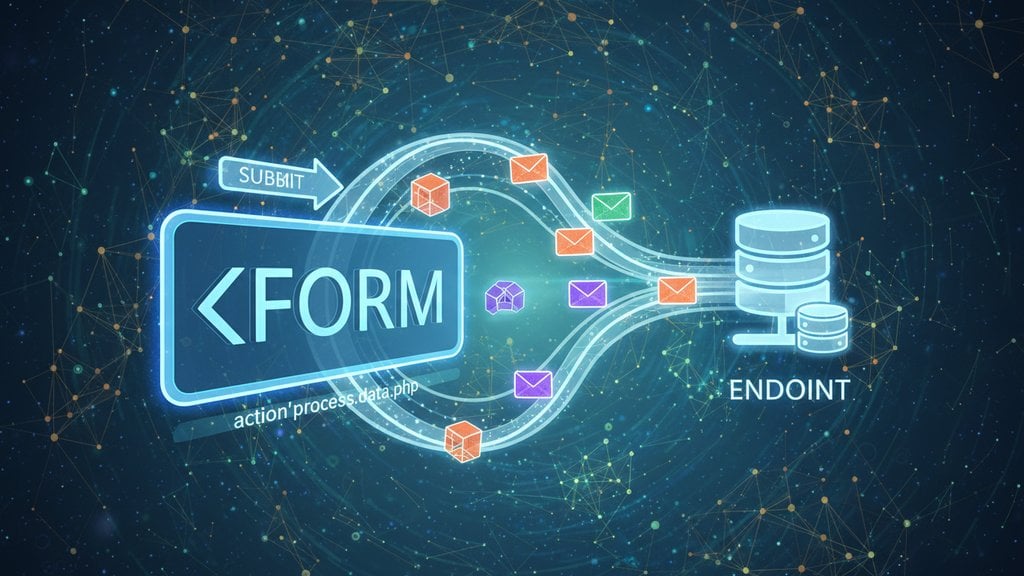
The HTML form action attribute tells the browser where to send your form data when a user hits submit. It's the URL that receives the form submission, and without it, your form has nowhere to go. Understanding how it works is the difference between a contact form that actually delivers messages and one that silently does nothing.
Content Table
What the action attribute actually does
When a user fills out a form and clicks submit, the browser packages up all the form field values into a request and sends it to the URL specified in the
action
attribute. That URL is called the form endpoint. Whatever server lives at that endpoint receives the data, processes it, and typically returns a response.
Here's the simplest possible example:
<form action="https://example.com/submit" method="POST">
  <input name="name" type="text"/>
  <button type="submit">Send</button>
</form>
When the user clicks "Send", the browser sends a POST request to
https://example.com/submit
with the form data attached. The server at that address handles the rest.
If you omit the
action
attribute entirely, the browser submits the form back to the current page URL. That's occasionally useful for server-rendered apps, but for most use cases it means your data goes nowhere useful.
What goes in the form action URL
The form action URL can be:
-
An absolute URL
like
https://api.example.com/contact. This sends data to a completely different server or service. -
A relative URL
like
/submitorsubmit.php. The browser resolves this against the current page's domain. -
An empty string
(
action=""). Submits to the current page, same as omitting the attribute.
For most real-world contact forms, you'll use an absolute URL pointing to either your own server-side script (a PHP file, a Node.js endpoint, etc.) or a third-party form backend service. The key requirement is that something has to be running at that URL to receive and process the request.
action
URL is the destination, not the processor. The actual work (sending an email, saving to a database, triggering a webhook) happens in whatever code runs at that endpoint.
Why method matters just as much as action
The
method
attribute works alongside
action
to define how the data is sent. There are two options:
| Method | How data is sent | Typical use |
|---|---|---|
GET
|
Appended to the URL as query parameters (
?name=Alice&message=Hi
)
|
Search forms, filters, bookmarkable queries |
POST
|
Sent in the request body, not visible in the URL | Contact forms, login forms, any sensitive or long data |
For contact forms, always use
method="POST"
. GET requests expose field values in the browser URL bar, get stored in browser history, and have length limits that will truncate longer messages. POST has none of those problems.
By default, HTML forms send data as
application/x-www-form-urlencoded
, which encodes field names and values into a structured string. Most form backends and services accept this format out of the box.
The static site problem
Here's where developers hit a wall. If your site is purely static (plain HTML files hosted on GitHub Pages, Cloudflare Pages, or similar hosts), there's no server-side code running on your domain. You can't just point your form action to a PHP script because there's no PHP runtime to execute it.
This means your form action URL needs to point somewhere else entirely. Your options are:
- Write and host your own backend API (Node.js, Python, etc.) on a separate server
- Use a serverless function (AWS Lambda, Cloudflare Workers)
- Use a form backend service that gives you a ready-made HTML form endpoint
The third option is the fastest for most projects. You get a URL to drop straight into your
action
attribute and submissions start arriving in your inbox with zero backend code. If you're curious how this compares to writing your own server-side handler, the
PHP vs serverless forms breakdown
covers the trade-offs clearly.
Using a form endpoint service
A form endpoint service like Sendform.net works by giving you a unique URL that acts as your form's action attribute. You point your form there, and the service forwards submissions to your email. No backend needed.
Here's what that looks like in practice:
<form action="https://sendform.net/en/!a8Kz3mXq12" method="POST">
  <input name="email" placeholder="email@example.com" required="" type="email"/>
  <textarea name="message" placeholder="Tell us more" required=""></textarea>
  <button type="submit">Send</button>
</form>
The setup is straightforward:
- Log in to Sendform.net and create a form to get your personal endpoint URL.
- Open the Integration tab and copy the endpoint.
-
Paste it as your form's
actionattribute withmethod="POST". -
Make sure your form has an
<input/>withname="email"and a<textarea> </textarea>withname="message". - Deploy your site. Submissions arrive in your notification inbox.
email
and
message
must match exactly. If your field is named
Email
(capital E) or
msg
, the submission will fail validation. Field names are case-sensitive.
Sendform also has a Snippet Builder in the Integration tab. Select "HTML" from the framework selector, optionally set a redirect URL for a custom thank-you page, and toggle on a honeypot field for basic spam protection. It generates the complete form snippet ready to copy.
The formaction attribute on buttons
There's a lesser-known cousin to the form action attribute:
formaction
on individual submit buttons. It overrides the form's
action
for that specific button only.
<form action="/default-endpoint" method="POST">
  <input name="query" type="text">
  <button type="submit">Save</button>
  <button formaction="/preview-endpoint" type="submit">Preview</button>
</input></form>
Clicking "Save" sends data to
/default-endpoint
. Clicking "Preview" sends the same data to
/preview-endpoint
instead. The
formaction
HTML attribute is supported in all modern browsers and is defined in the
WHATWG HTML living standard.
This is useful for multi-action forms (save vs. publish, save vs. delete) without needing JavaScript to swap out the form's action dynamically.
What happens after submit
After the browser sends the request to the form action URL, the server's response determines what the user sees next:
- Redirect response (HTTP 302/303): The server sends the browser to a new URL. Common pattern for showing a "thank you" page.
- HTML response: The server returns a page directly, which replaces the current page in the browser.
- No redirect configured: With Sendform, if you haven't set a redirect URL, the service returns its own confirmation page.
If you want to keep the user on your own site after submission, configure a redirect URL pointing to your own thank-you page. In Sendform, you set this in the Snippet Builder or form settings. The browser will land on your page instead of the service's default confirmation screen.
For developers who want to handle submissions without a full page reload, you can intercept the form submit with JavaScript, send the data via
fetch()
, and update the UI yourself. In that case, the
action
attribute still serves as a useful fallback for users with JavaScript disabled.
Common mistakes
- Using GET instead of POST for contact forms. Field values including email addresses end up in server logs and browser history.
- Pointing the action at a static file. HTML and CSS files can't process form submissions. The action URL needs a server or service behind it.
- Forgetting the action attribute entirely. The form submits back to the current page, which usually just reloads it with no effect.
-
Mismatched field names.
If the endpoint expects
name="email"and your input hasname="Email", the submission fails validation silently on the server side. - Using a relative URL for a cross-origin endpoint. If your form backend lives on a different domain, you need the full absolute URL including the protocol.
For Webflow users specifically, the form action setup has some platform-specific quirks worth knowing. The Webflow contact form guide covers how to point a Webflow form to an external endpoint without writing server-side code.

Get a real HTML form action URL in under a minute
Sendform.net gives you a ready-made HTML form endpoint you can drop straight into your form's action attribute. No backend, no JavaScript required. Point your static site form at your personal endpoint and submissions arrive in your inbox instantly.
Create Your Form Endpoint →
If you omit the
action
attribute or set it to an empty string, the browser submits the form to the current page URL. On a static HTML page with no server-side code, this usually just reloads the page and discards the data entirely. Nothing gets saved or emailed. Always point
action
to a real endpoint that can process the submission.
Yes. You can intercept the form's submit event with JavaScript, call
event.preventDefault()
, collect the field values using
FormData
, and send them to the action URL via
fetch()
. This lets you show a success message without navigating away. The
action
attribute still acts as a reliable fallback for users with JavaScript disabled, so it's good practice to keep it set correctly either way.
No. The form action URL can point to any domain. A traditional form submission (not using fetch) sends the request directly from the browser and is not restricted by the same-origin policy that applies to JavaScript fetch requests. This is exactly how form backend services work: your form lives on your domain, but the action URL points to the service's domain, and the browser sends the data there without any CORS issues.
The
action
attribute on the
<form>
</form>
element sets the default submission URL for the whole form. The
formaction
attribute on an individual
<button type="submit">
</button>
or
<input type="submit"/>
overrides that default for that specific button only. When the user clicks a button with
formaction
, the form submits to that button's URL instead of the form's default. All other buttons still use the form-level
action
.
Most form backend services, including Sendform.net, let you configure a redirect URL in your form settings. After a successful submission, the service sends an HTTP redirect response pointing the browser to your chosen URL, such as
/thank-you.html
. Without a configured redirect, the service returns its own default confirmation page. Set the redirect in the Snippet Builder or form settings dashboard before deploying your form.
This usually happens when the form action points to a local server (like
http://localhost:3000/submit
) that doesn't exist in production. After deployment, that address is unreachable. Make sure your action attribute uses an absolute URL pointing to your live endpoint, not a localhost address. Also double-check that any environment-specific configuration (API keys, endpoint URLs) is correctly set on your hosting platform.